Sight Words Learning Games & R(은)는 22LEARN Toddler and Baby Learning Games, LLC(이)가 개발한 교육 앱입니다. 그러나 최고의 Android 에뮬레이터인 LD플레이어를 사용하면 컴퓨터에서 Sight Words Learning Games & R(을)를 다운로드하고 즐길 수 있습니다.
컴퓨터에서 Sight Words Learning Games & R(을)를 실행하면 보다 큰 화면에서 이용할 수 있으며, 마우스와 키보드로 앱을 이용하는 것이 화면을 터치하는 것보다 훨씬 빠릅니다. 동시에 기기의 배터리 문제에 대해 걱정할 필요가 없습니다.
다중 인스턴스 및 멀티 컨트롤 기능을 통해 컴퓨터에서 여러 애플리케이션과 계정을 동시에 이용할 수도 있습니다.
또한 파일 전송 기능을 통해 이미지, 비디오 및 파일을 공유하는 것도 매우 쉬워집니다.
컴퓨터에서 Sight Words Learning Games & R(을)를 다운로드하고 실행하여 큰 화면과 고화질의 PC 환경에서 즐기세요!
The best way to prepare your child for reading success in school!Join over 40,000,000 kids who love learning with award-winning 22learn apps!
Proven Educational Sight Word Reading Program for Kids (Beginning Readers AGES 2-7)
*Sight Words Learning Games & Reading Flash Cards apps includes all 220 SIGHT WORDS from the popular Dolch list (with extra 94 NOUNS!)*
Reading app for Preschool Kids (pre-K), Kindergarten, 1st Grade, 2nd Grade, and 3rd Grade children*
* 6 engaging EDUCATIONAL GAMES in one of the best Reading apps for kids *
*314 Flash Cards (Flashcards are spoken by male and female voice)
================================
PRESS REVIEW
================================
"Provides ample opportunities to learn all 220 Dolch words through a series of six games and activities. The interface is simple and easy to navigate and overall the look is appealing."
Jill Goodman, smartappsforkids.com
-----
Sight Words Learning Games & Reading Flash Cards is a proven EDUCATIONAL READING APP by 22learn. The reading app is designed to help children learn and practice reading the most common sight words.
Sight words are words in English language that do not have a simple one-to-one correspondence between sounds and written letters, and therefore have to be learned “by sight. ”
Being able to quickly recognize sight words is a crucial part of learning how to read. Sight words mastery is a necessary step towards an enormous reading improvement.
Sight Words offers children an easy-to-use interface and a grand choice of six fun educational games through which children can acquire mastery over this subject matter.
-----
The 6 GAMES included are:
1. WORD MACHINE
Control the Word Machine. Supply all the words that need to be produced by tapping on the words called.
2. SPELLING
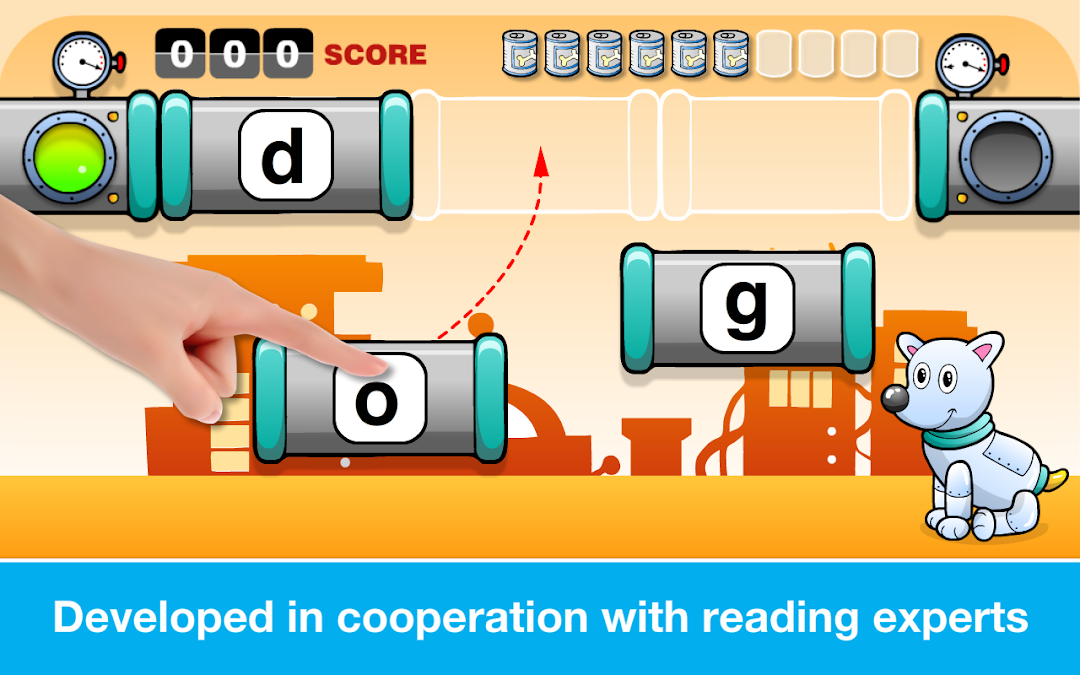
Your dog is hungry! Make cans to feed him! To make a can, drag the letter cards to their correct place and make a word you have just heard pronounced.
3. BINGO
Make a Bingo to get a ticket for Aliens back home! Tap on the word corresponding to the one that you heard pronounced. Once you have matched cards from one side of the board to the next... Bingo! Aliens are back home!
4. MEMORY GAME
Match the sounds to correct word forms! To do so, tap on one of the speakers, hear the word, and then select one of the cards below with a correct word. Do it for all words!
5. GEARS
Tap on one of the speakers on the screen, hear the word pronounced, and place the word across the speaker. Repeat for all words to see wonderful gears animation.
6. FLASH CARDS
Practice in the Flash Card mode. List through the words and top on the cards to hear the words pronounced again and again!
-----
Additional Features Include:
- Selection of individual words to be practiced within each category
- Avatar selection
- Choice of capitalized words and upper-case or lower-case letters
- Access to best scores
-----
Get this app now and enjoy the progress your children are going to make in their reading skills.
22learn, your trusted educational apps developer