LD플레이어 버전 요구 사항: 14.0.36.0 이상
1. KernelSU 관리자 설치
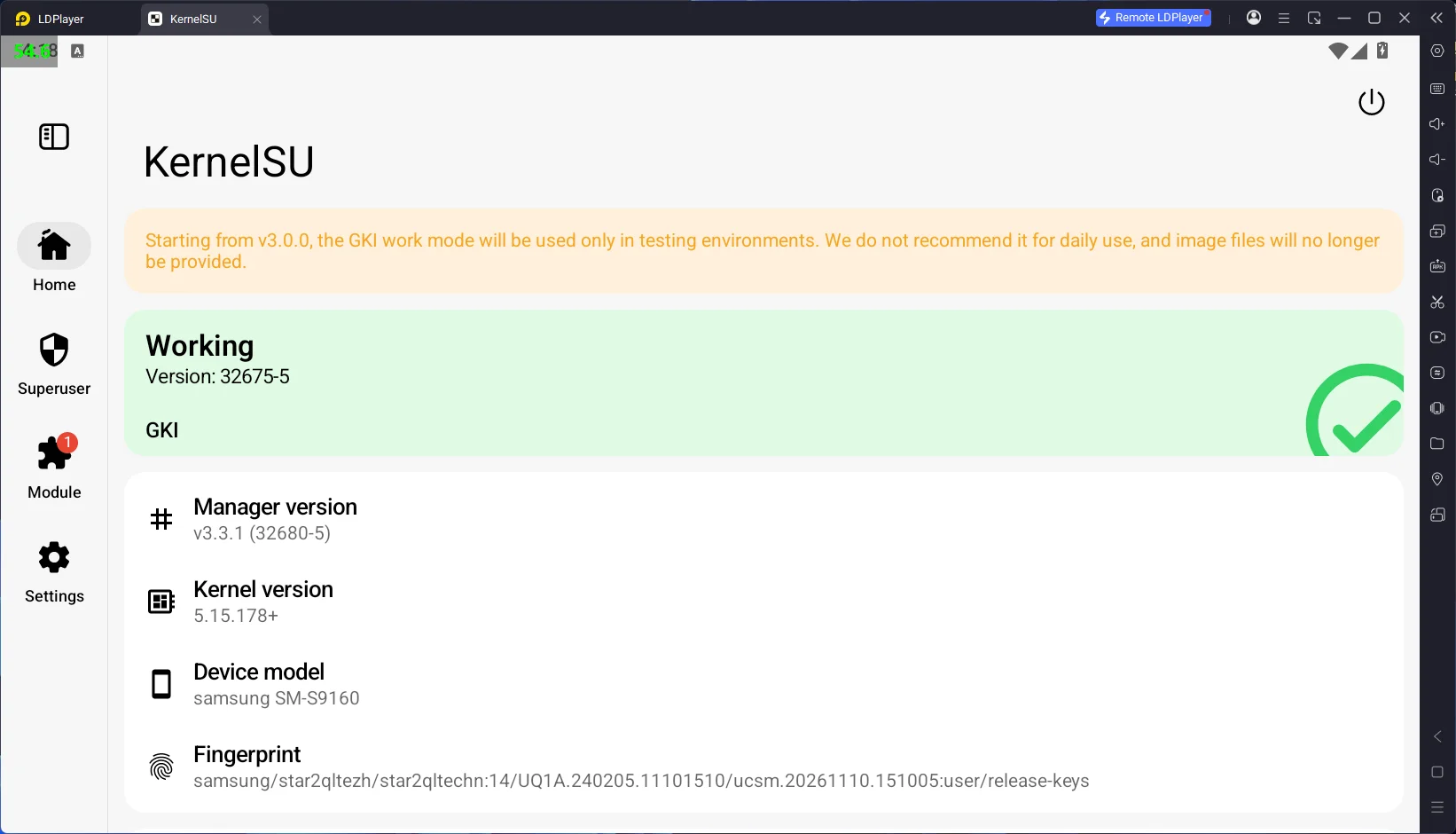
KernelSU 관리자 v3.3.1 버전을 사용해 주세요.
다른 버전을 사용할 경우 정상적으로 작동하지 않을 수 있습니다.
다운로드 링크 (v3.3.1):
github.com/tiann/KernelSU/releases/download/v3.3.1/KernelSU_v3.3.1_32680-release.apk
설치 후 앱을 실행했을 때, 메인 화면에 'Working'이라고 표시되면 정상적으로 연결된 것입니다.
2. LD플레이어 기본 Root 권한 비활성화
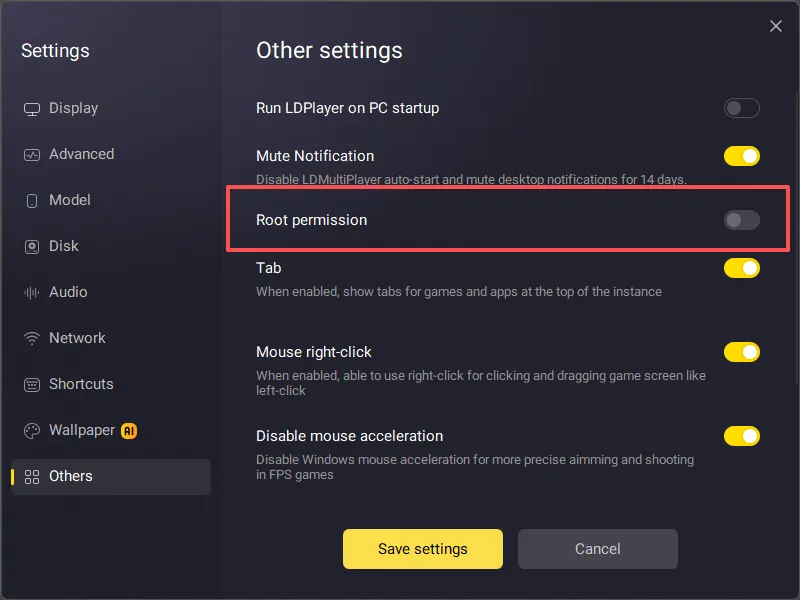
LD플레이어에 내장된 Root 기능과 KernelSU는 서로 충돌할 수 있으므로 두 기능을 동시에 활성화하지 않는 것을 권장합니다.
LD플레이어 설정에서 Root 권한을 비활성화한 다음, LD플레이어를 재시작해 주세요.
3. 32비트 앱 미지원
KernelSU 환경에서는 32비트 앱이 Root 권한을 획득할 수 없으며, 권한 승인 팝업도 표시되지 않습니다. 이는 KernelSU 자체의 제한 사항입니다.
이러한 문제가 발생할 경우, 해당 앱의 64비트 버전을 우선적으로 설치해 주세요.